
Does Your Nagpur Business Have an Outdated Website?
Legacy PHP portal (2018)
Non-responsive • Slow admin edits
Modern WordPress CMS
100% Mobile Responsive • Block Editor
What Is An Outdated Website?
An outdated website is any digital asset built using legacy visual standards, outdated content structures, or unsupported backend systems that restrict accessibility and speed.
Typically, legacy websites lack responsive layouts, forcing mobile visitors to zoom or scroll horizontally. Furthermore, running legacy technologies like raw custom PHP code blocks makes content updates slow and introduces vulnerabilities that expose administrative databases.
Key Characteristics Of Legacy Websites
Outdated websites exhibit specific visual and technological parameters that define their status:
Visual Design Quality
Layout layout systems and outdated style properties that fail to match modern aesthetic standards.
Content Management System
Stagnant custom coding systems or unmaintained platforms that complicate routine content publishing.
Website Accessibility
Layout formatting that breaks on mobile devices, preventing users from accessing information naturally.
Feature Set Modernity
Relying on deprecated script frameworks, broken form plugins, or slow database setups.
Search Engine Indexability
Lacking modern schema graphs, meta tags, and index-friendly structures required for search ranking.
Signs Your Website Is Outdated
Inspect your site's attributes for the following indicators of legacy obsolescence:
Old Visual Design
Using legacy layouts, crowded typography, and unoptimized graphics that damage credibility.
Difficult Navigation
Complex menu lists or hidden categories that make finding information difficult.
Poor Mobile Compatibility
Text elements running off-screen and buttons wrapping, making touch inputs difficult.
Slow Content Updates
Updating copy requires direct access to code files rather than using a clean admin dashboard.
Outdated Information
Displaying legacy contact logs, notice announcements, or syllabus data from years past.
Declining User Engagement
Noticing drop-offs in page views, increased bounce rates, and fewer form inquiries.
Common Causes Of Outdated Websites
Websites become obsolete due to standard operational and technological lifecycle patterns:
Lack Of Redesign
Running layouts for years without visual modernization or framework reviews.
Old CMS Platforms
Using deprecated portal versions that lack secure updates or modular admin dashboards.
Changing User Expectations
User familiarity with modern responsive interfaces makes older formats feel difficult to navigate.
Technology Obsolescence
Older layout styles and frameworks getting phased out by modern browser systems.
Business Growth
Company expansion outgrowing simple layout frameworks, requiring more structured sitemaps.
How Outdated Websites Affect Businesses
Delaying upgrades leads to measurable performance drop-offs across business goals:
Reduced Credibility
An outdated aesthetic suggests lack of business stability, reducing visitor trust.
Poor User Experience
Difficult navigation pathways force users to exit your site, increasing bounce metrics.
Lost Opportunities
Broken checkout links or unoptimized contact forms block prospects from submitting leads.
Reduced Search Visibility
Lacking responsive features and secure protocols causes search engines to prioritize competitors.
Lower Conversion Potential
Stagnant presentation fails to convey value propositions, resulting in low conversion rates.
Industries Commonly Affected
Legacy technology blockades affect operations across different business areas:
Educational Institutions
Legacy portals fail to scale for mobile-first students, complicating notice and syllabus updates.
Manufacturing Businesses
Stagnant catalogs fail to showcase current machine capabilities or handle inquiry specifications.
Healthcare Clinics
Legacy forms lack patient appointment integrations or mobile-friendly coordinates updates.
Professional Services
Outdated design reduces perceived consulting expertise, limiting inbound inquiries.
Local Businesses
Legacy pages fail to establish trust badges, resulting in a steady decrease in local client contacts.
How To Modernize An Outdated Website
A structured framework is deployed to rebuild legacy platforms into clean marketing assets:
Legacy Audit
Identify deprecated code and content scope.
Sitemap Map
Structure logical pages and navigation menu.
CMS Migration
Configure clean WordPress layouts backend.
Visual Redesign
Code mobile-responsive visual components.
Launch & Check
Set 301 redirects and publish search schemas.
How To Prevent Outdated Websites
A proactive updates approach maintains visual and backend longevity:
Periodic Content Audits
Audit website details, contact coordinates, notice boards, and core pages biannually.
Plugin & Theme Verification
Monitor developer maintenance records, deleting inactive extensions before security vulnerabilities occur.
Routine Performance Scans
Run periodic page speed reviews and mobile responsive checks to audit layout display correctness.
Minor Visual Adjustments
Keep visual aesthetics fresh by reviewing font weights, padding proportions, and graphics assets regularly.
Related Website Services
Explore our professional web redesign and custom development service nodes:
Website Redesign
Modernizing obsolete layouts to optimize page speed, mobile access, user experience, and B2B leads.
WordPress Website Design
Designing custom WordPress layouts built on solid frameworks for easy administration and updates.
Website Maintenance
Ongoing monthly update plans covering backups, security configurations, and page edits after launch.
Real Project Example From Our Portfolio
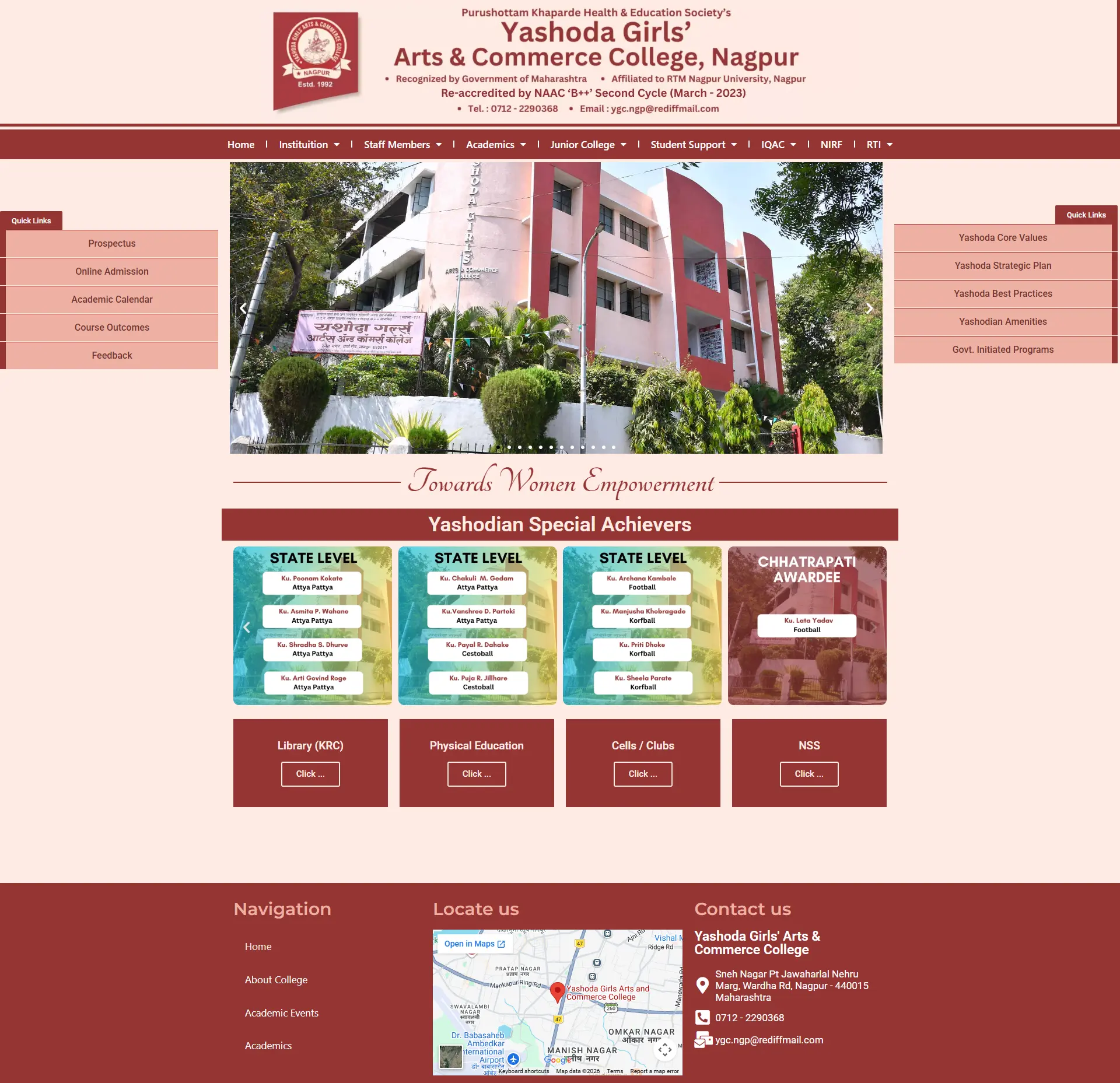
Non-Responsive Static PHP Structure
Yashoda Girls' College used an outdated static site built with old tables, rendering with massive layout breakages and zero readability on smartphone screens.
WordPress Migration & Mobile Responsive Rebuild
Migrated the legacy pages scope to WordPress, coded fluid responsive column grids, and built a structured directory for academic notices and files uploads.
Full Mobile Responsiveness & Easier Notices Uploads
Full portal readability on smart viewports, allowing administrative staff to upload PDFs independently and keep notices accurate.
Related Website Challenges
Explore other common performance, accessibility, and technology challenges affecting business websites:
Website Security Issues
Malware infections, unpatched database gates, and security warnings blockading access.
Poor Mobile Experience
Non-responsive layouts, overlapping links, and unoptimized forms causing visitor drop-offs.
Slow Website
Unoptimized resource loading, poor caching, and database blocks driving visitors away.
Frequently Asked Questions
Find answers to common website redesign, legacy CMS systems, and updates queries:
How do I know if my website is outdated? +
Key indicators include poor mobile rendering, difficult navigation, old visuals, a lack of secure SSL protocols, slow loading speeds, and an administration panel that is hard to update.
How often should a business website be redesigned? +
Typically, every 3 to 4 years. Technology, user expectations, and search engine algorithms shift rapidly; a layout built four years ago often lacks modern responsiveness and performance.
What is a legacy content management system? +
It is an outdated platform or custom PHP backend that lacks active developer support, security patches, plugin ecosystems, or simple blocks editors for routine content publishing.
Can an outdated website hurt search engine rankings? +
Yes. Google prioritizes mobile-responsive, fast-loading, and secure websites. Legacy codebases that load slowly or break on mobile devices struggle to rank in local search results.
What are the security risks of running an outdated website? +
Legacy codebases often contain unpatched vulnerabilities. Outdated plugins, old PHP server versions, and lack of active firewalls make your website a primary target for automated malware bots.
Will a website redesign change my domain name or URL structure? +
No. Your domain stays the same. We preserve URL structures where possible or map clean 301 redirects to ensure you maintain existing search visibility and rankings.
How does a modern CMS improve business operations? +
It allows non-technical staff to update notices, publish services, and upload files in minutes without coding, reducing dependence on developers and speeding up communications.
What is information architecture in web design? +
It is the structure and layout of website navigation and page relationships, organizing information logically so visitors and search engine bots can find content easily.
Can I upgrade my legacy website without losing old content? +
Yes. During the migration phase, we audit your old database and transfer academic pages, corporate descriptions, and media assets into the new clean WordPress layout.
How does outdated technology affect conversion rates? +
Slow page loads, complex forms, and difficult layouts confuse users. If visitors find your site hard to navigate, they bounce and seek competitor layouts instead.
Services That Fix This Problem
- Website Redesign in Nagpur — modernizing legacy sites with custom UI/UX
- WordPress Website Design in Nagpur — clean, modern, and editable block-based layouts
See a real example: Yashoda Girls College — Legacy Website Modernization Case Study
Request A Free Website Audit
Is your website using outdated templates, causing mobile display issues, or loading slowly? Request an audit.
View All Services HubAudit Request Submitted
Thank you! Your website details are being reviewed. We will analyze your website parameters and send your report within 24 hours.